Example signed ITP inspection record
A signed ITP from WNDW for one level of a residential tower: 24 openings, seven stages, signed by the foreman on site and the builder from an emailed link. It's demo data run through the production report, laid out like the ITP facade subcontractors already send builders.
Last updated
How are the stages set?
Each job gets its own stage list, with names, order and claim weights to suit that job's ITP and contract. The weights below are examples.
| # | Stage | Claim weight |
|---|---|---|
| 1 | Opening ready | — |
| 2 | Subframed | 60% |
| 3 | Frames installed | 30% |
| 4 | Caulking | — |
| 5 | Doors | 10% |
| 6 | Hardware install | — |
| 7 | Protection | — |
| # | Stage | Claim weight |
|---|---|---|
| 1 | Brackets and anchors set out and inspected | 15% |
| 2 | Units installed | 55% |
| 3 | Perimeter and slab-edge seals | 30% |
| 4 | Water test Ticked on the units tested — no claim weight | — |
| 5 | Protection | — |
How does a tick get recorded?
The foreman ticks each stage on each opening as it's finished. Ticks and photos save with no reception, in a basement or a lift core, and sync once the phone's back in range. Every tick records who and when, and every change is logged.
Photos are taken in the app at the opening and tagged to the stage, with the date, time and opening burned in. Anything pulled from the phone's gallery is labelled "Added from gallery".
What happens when the level is done?
A director closes the level, or the lead foreman can if the organisation allows it. From then on there are no more ticks, photos or edits. The foreman signs on the phone. The builder is emailed a link, reviews the ITP and signs in their phone's browser, with no app to install and no account. Only the office can reopen a closed level, and that withdraws the signatures.
The signed record for Level 3
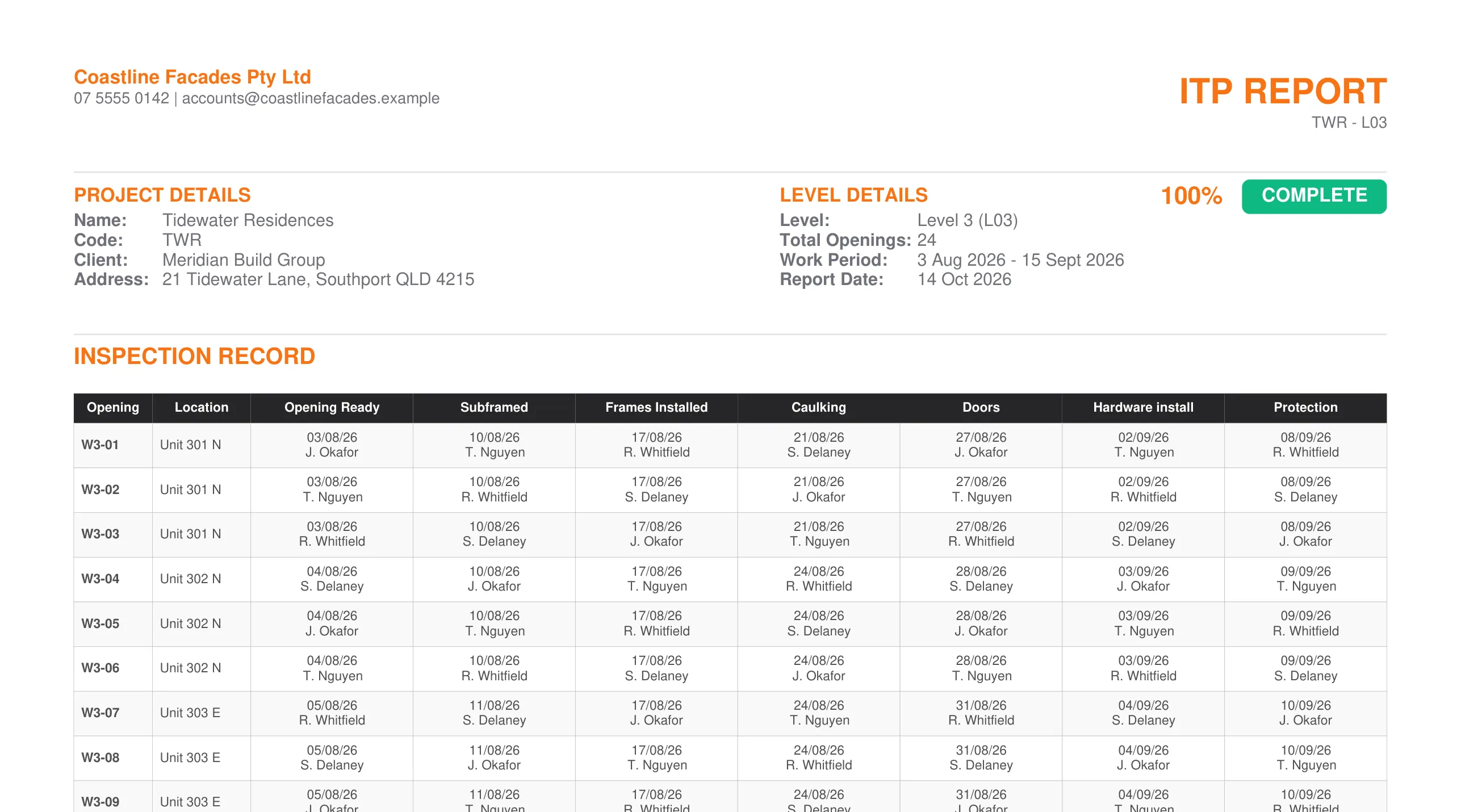
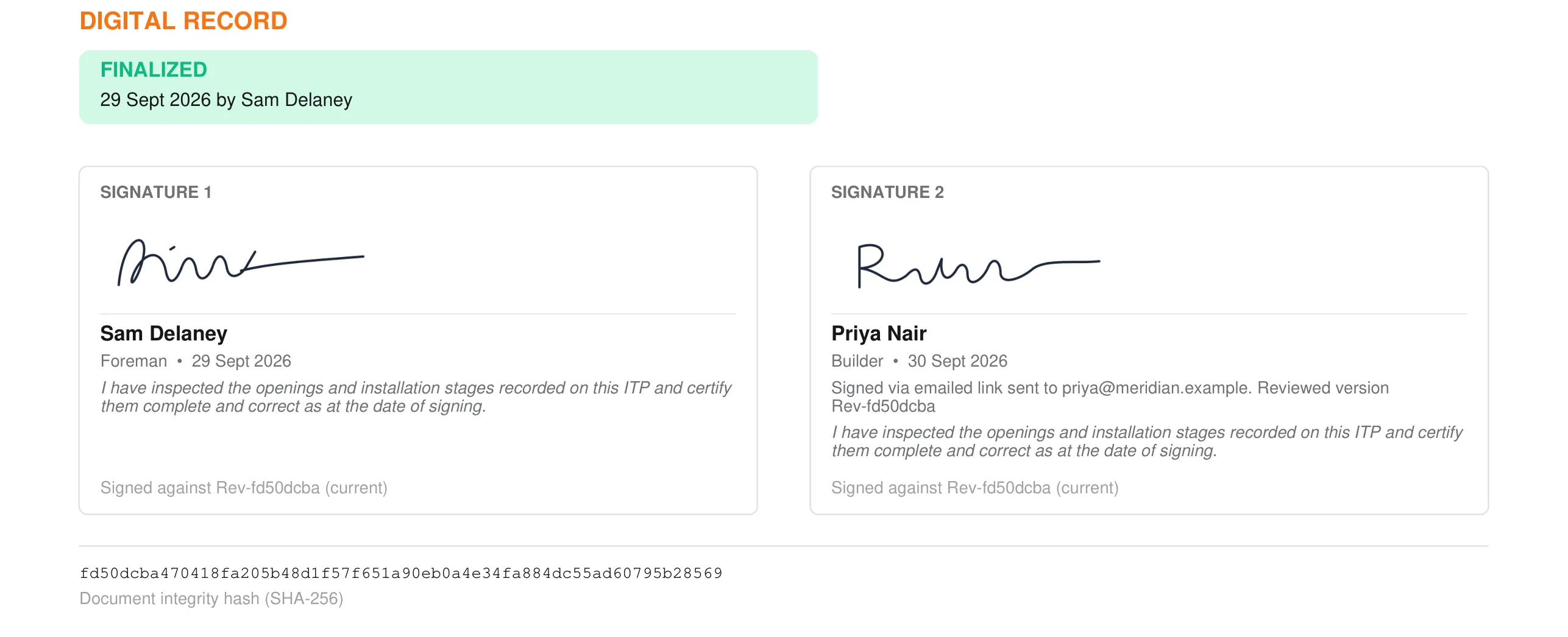
- Every cell shows who and when. W3-07: caulking by T. Nguyen, 24 August.
- Completion at a glance. 24 of 24 openings complete. An open stage would show in amber.
- Foreman and builder signatures. The foreman signed on site. The builder signed from an emailed link, and the PDF records where it was sent.
- Tied to the version signed. Both signatures are against the same version of the record. If it changes after signing, the PDF flags it.
Where do the photos go?
Photos export per level, alongside the ITP — a folder per opening, each file named by opening, stage and date. They lock with the level when it closes.
Tidewater-Residences_Level-3_Photos.zip
├ W3-06/
├ W3-07/
│ ├ W3-07_Subframed_2026-08-11_0915.jpg
│ ├ W3-07_Frames-Installed_2026-08-17_1432.jpg
│ └ W3-07_Caulking_2026-08-24_1042.jpg
└ W3-08/
How do the same ticks become a progress claim?
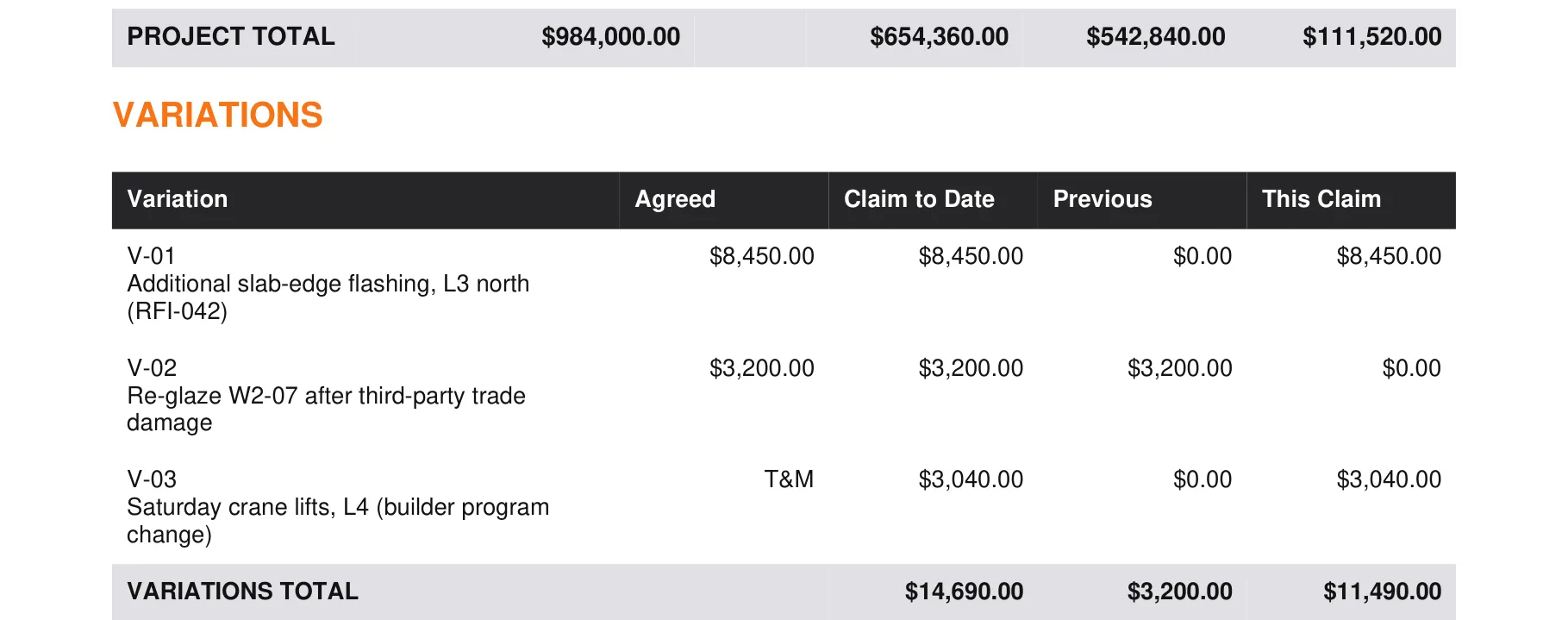
Each line is a stage on a level, valued from the openings ticked there. Level 3 was signed off on 30 September and is now claimed in full.
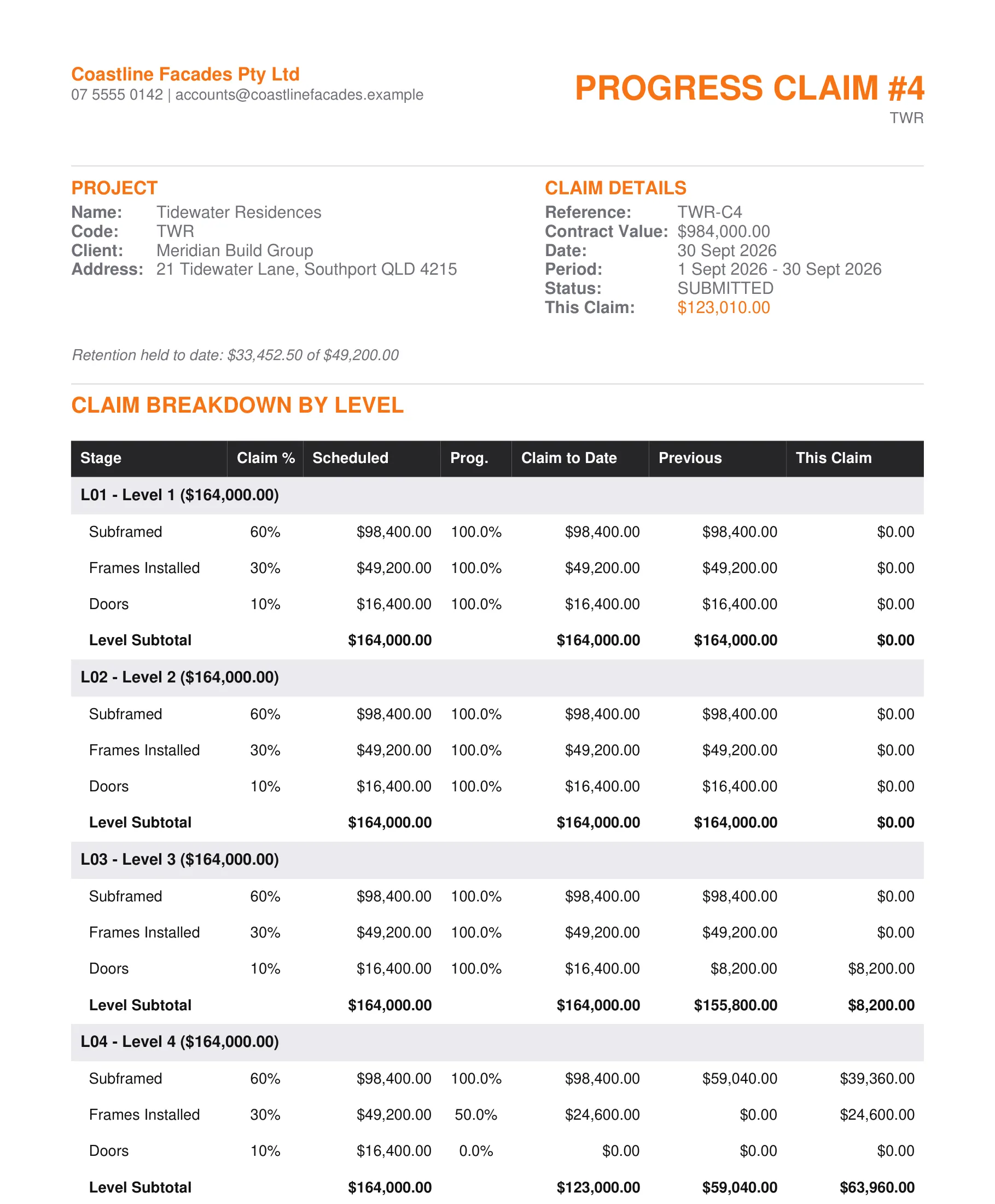
- Weights set to your contract. Here it's subframed 60%, frames 30%, doors 10% of each level.
- Progress comes from the ticks. Level 4 frames sit at 50% because half its openings have frames ticked. Nobody keys in a percentage.
- Previous claims carried forward. Approved amounts come off, so this claim is only September's work.
- Retention against its cap. Held to date, on every claim.
- Variations alongside. Agreed and T&M variations on their own schedule.
What is this record, and what isn't it?
This is the inspection record: who did each stage on each opening, and when, signed off per level. The report prints the stage names; the acceptance criteria and spec references for each stage come from the builder's ITP or the project spec. WNDW is the subcontractor's record. It helps you keep evidence. It doesn't replace the builder's QA, certifier inspections or compliance certificates.